
Lecture recordings
Zoom, Panopto and Echo360 recordings, phone voice memos and in-class audio become structured notes you can search.
Summarize a lecture recordingWorks with recordings, slides (PPTX) and YouTube captions through our Chrome extension. 3 free lectures a day, no credit card.
Uploads are deleted within 24 hours and never used to train AI models.
Drop your lecture here
MP4, MKV, MOV, MP3, WAV, M4A — up to 500 MB · lectures up to 3 hours
Record this lecture
Recording happens on your device. Nothing is uploaded until you press Stop.
Recording. You can switch tabs — this keeps running.
Works with Google Drive, Loom, Twitter/X, Dailymotion and other supported platforms. For YouTube, use our free Chrome extension — YouTube blocks our servers.
Turn lecture slides, Google Drive notes, or readings into chapters, flashcards, and practice exams.
Choose a file or paste a video link above to continue.
Files deleted within 24 hours · Never used to train AI models · Shared only with the AI processors in our Privacy Policy, never sold — read the policy
A recording, slides, or a YouTube video through the Chrome extension.
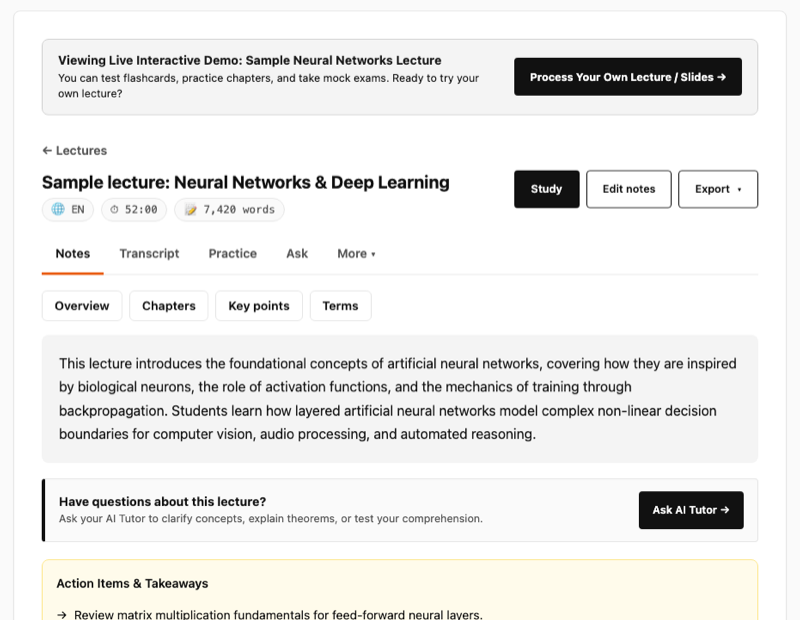
Chapters with timestamps, key terms and the full transcript. Edit anything that is wrong.
A quiz and flashcards, plus a daily review that schedules your cards for you.
You are next in line. Processing will start momentarily.
Initializing...
Processing across our cloud engine — notes, chapters, flashcards & quiz incoming.
Moments marked during lecture, re-explained from first principles with board frames and active-recall practice.
Active Recall & Self-Testing
Generate multiple-choice questions or active recall flashcards directly from your lecture notes and transcript.
Listen to your lecture recap
Turn this lecture into a spoken recap you can listen to on a walk or commute. Plays in your browser — nothing to download.
What you get from every lecture
YouTube blocks our servers from reading captions, so a pasted link can’t work. The extension reads them in your own browser instead — one click on any captioned video, and the notes come back here.
Free, and no account needed. Works on Chrome, Edge and Brave.
Browser extensions need a laptop. Open videonotegpt.com on your computer to add it — or upload a file right here, which works on any device.
Record in class or upload what you have. VideoNoteGPT turns it into chapters with timestamps, key terms, a full transcript, a quiz and flashcards.
Zoom, Panopto and Echo360 recordings, phone voice memos and in-class audio become structured notes you can search.
Summarize a lecture recordingThe free Chrome extension reads a video's captions from your own browser, so a YouTube lecture can be turned into notes too.
YouTube lecture summarizerTurn an MP4 or MOV into a transcript with timestamps, then copy it or export it as text, SRT or VTT.
Video transcript generatorMultiple-choice questions written from your own lecture, so you practise on what your course actually covered.
AI quiz generatorSlides or a recording become flashcards you can export to Anki, with a daily review that schedules the cards for you. Starting from a video instead? Try YouTube to Anki.
Lecture to Anki cardsSlides or a lecture become flashcards and a practice exam, so the night before a midterm is spent practising instead of rereading.
Midterm rescueTurn a screen recording into clear steps to reproduce with screenshots and copy-ready Markdown for GitHub, Jira or Linear.
Bug report from videoFor students, teachers and researchers. Also works on podcasts, and you can listen to your notes as an audio recap.
See real sample notes All features How it compares Questions and answers Pricing